1. Automated PDF Data Extraction from Gmail and Google Sheets Integration Project
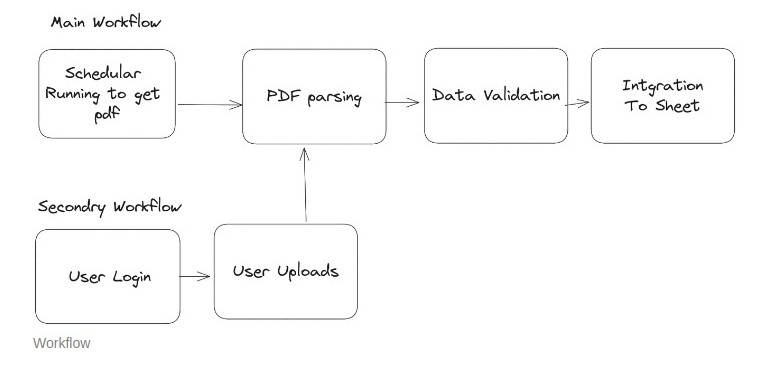
Developed an automated solution for a client who received daily PDFs via email.
Created a Google Apps Script that:
Scans Gmail for specific emails containing PDF attachments.
Downloads and parses these PDFs to extract vital information.
Transfers this extracted data into a designated Google Sheet.
Scheduled the script to run automatically at a pre-defined time each day, ensuring timely data processing and minimal manual intervention.
Features
User Authentication: Secure login mechanism to authenticate users.
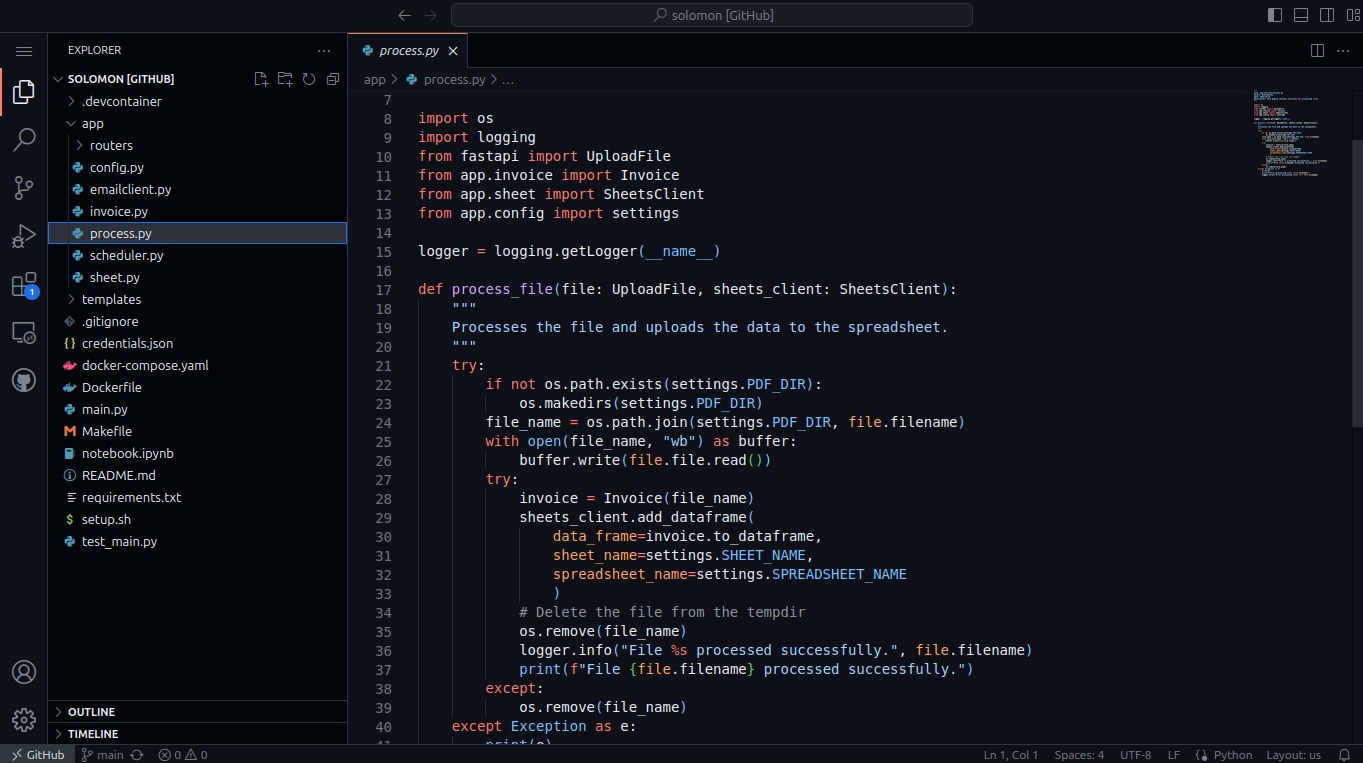
PDF Upload: Interface to upload PDF files manually.
Data Extraction: Extract specific fields like order code, shipping address, product details etc., from the uploaded PDF.
Google Sheets Integration: Populate the extracted data into a Google Sheet.
Scheduled Email Fetching: Automated function to fetch PDF attachments from a user’s email at scheduled intervals.
Data Validation: Validation checks to ensure data consistency and accuracy.
2. Growth Model Development with Defined KPIs
Description: Designed a dynamic growth model in Google Sheets, complete with Key Performance Indicators (KPIs) to enhance visibility and guide decision-making.
3. BigQuery to Google Sheets Data Pipeline
Description: Implemented a robust data pipeline using SyncWith and SQL to extract and sync data from BigQuery to Google Sheets for real-time analytics and reporting.
4. Google Sheets Data Visualization Dashboard
Description: Created an interactive dashboard within Google Sheets for effective data visualization and tracking, serving as a quick reference tool for stakeholders.
5. Batch Creation of Folders and Files:
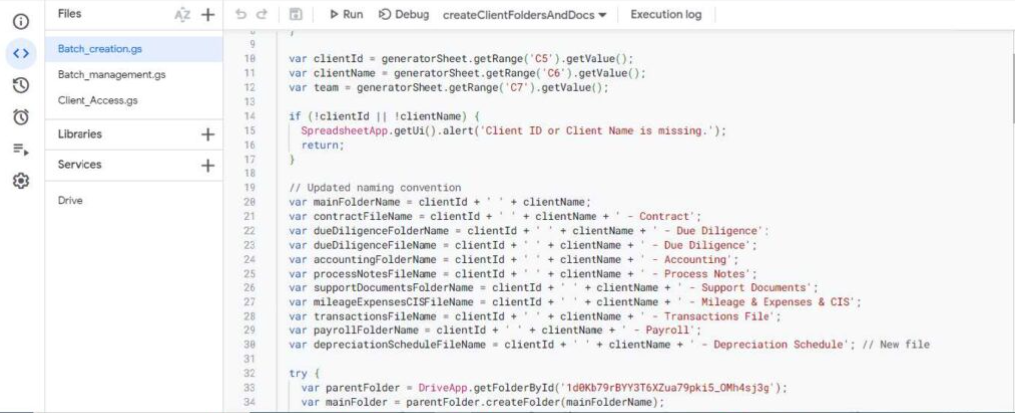
The script initiates by creating a structured main folder in Google Drive.
Within this main folder, it systematically generates a set of predefined subfolders.
For each subfolder, the script creates specific spreadsheet files from templates designed for various purposes.
Google Docs templates are duplicated and placed into their respective folders, ready for use.
A master spreadsheet is updated with the names, IDs, and direct links to all created folders and files, facilitating easy navigation and organization.
6. Batch Management of Access:
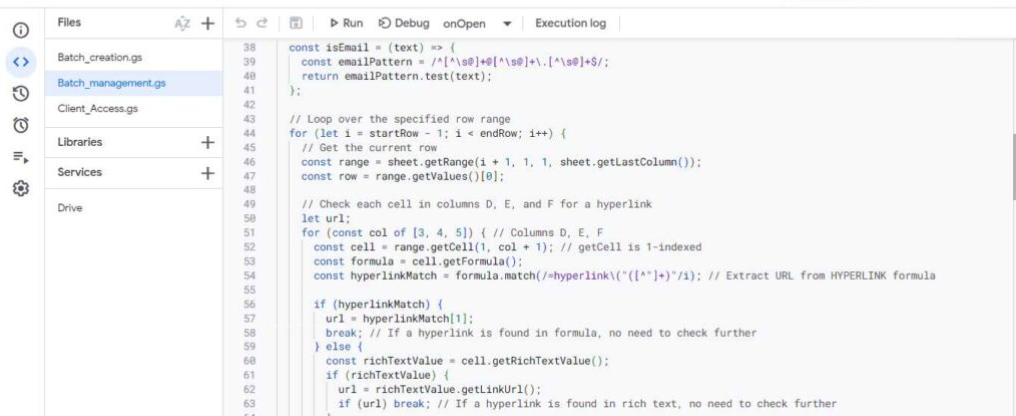
The script reads from a spreadsheet cell that lists email addresses authorized for file access.
It programmatically adjusts the sharing settings of designated Google Drive files and folders, granting access to the emails provided.
Concurrently, it ensures that access is removed from email addresses not currently listed in the spreadsheet.
This process is tailored to manage differing access levels needed for team members versus clients.
The script offers an efficient mechanism to control document access, reducing the risk of unauthorized viewing or editing.
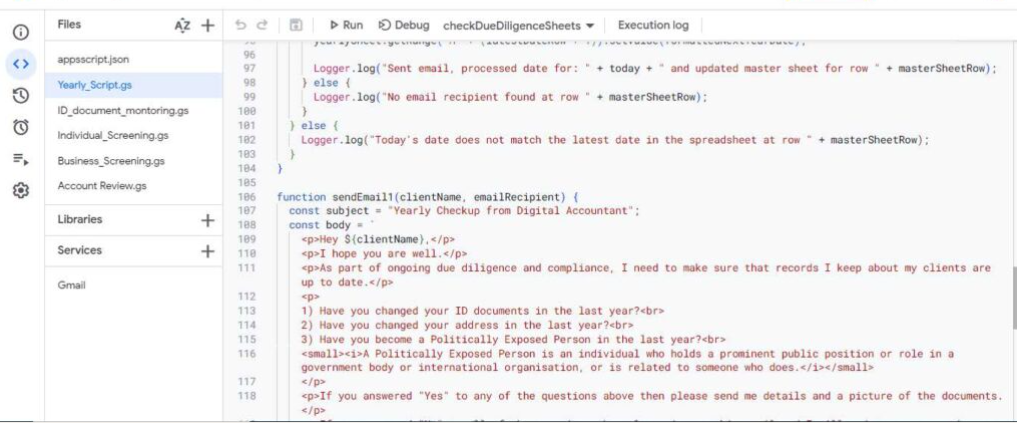
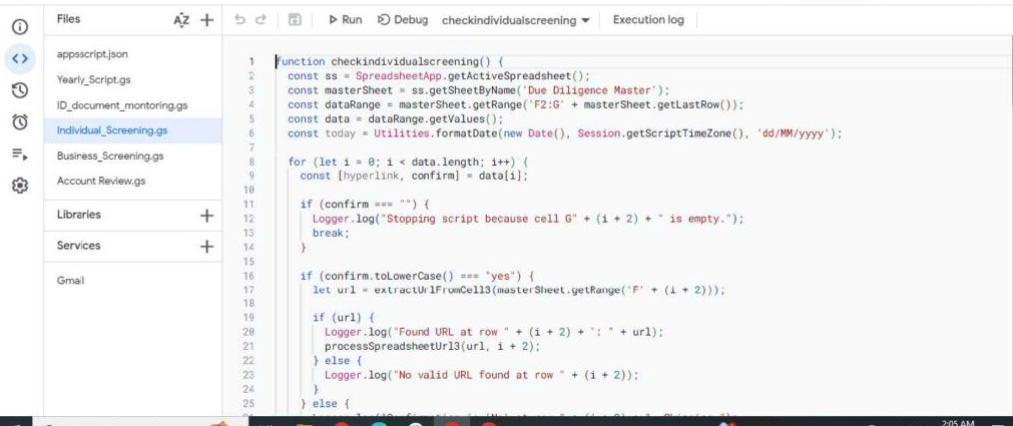
7. Email Reminder System:
The script is scheduled to run daily to ensure real-time relevancy of its functions.
It begins by accessing specific files through provided links within a master file.
Once the file is opened, the script navigates to a particular sub-tab where datespecific data is stored.
It compares the stored dates against the current date to identify matches.
When a match is found, indicating a task or event due that day, it triggers the sending of customized email reminders to designated recipients.
This automation ensures that reminders are sent out without fail, improving the consistency of communications and task management.
8. Google Apps Script for Chart Automation
Description: Utilized Google Apps Script to automate the generation and saving of chart images to Google Drive, streamlining the reporting process.
9. Automated PDF Invoicing via Email
Description: Created Google Apps Script to automatically format data into PDF invoices and send them via email, saving manual effort and enhancing operational efficiency.
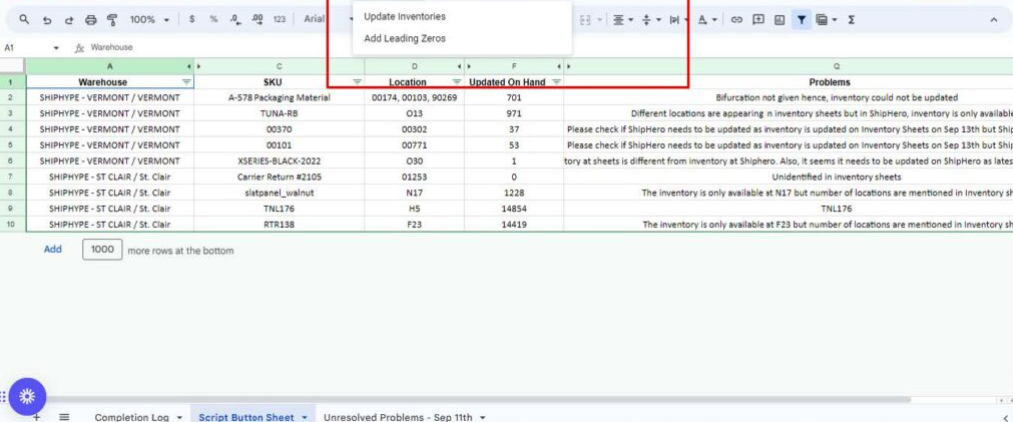
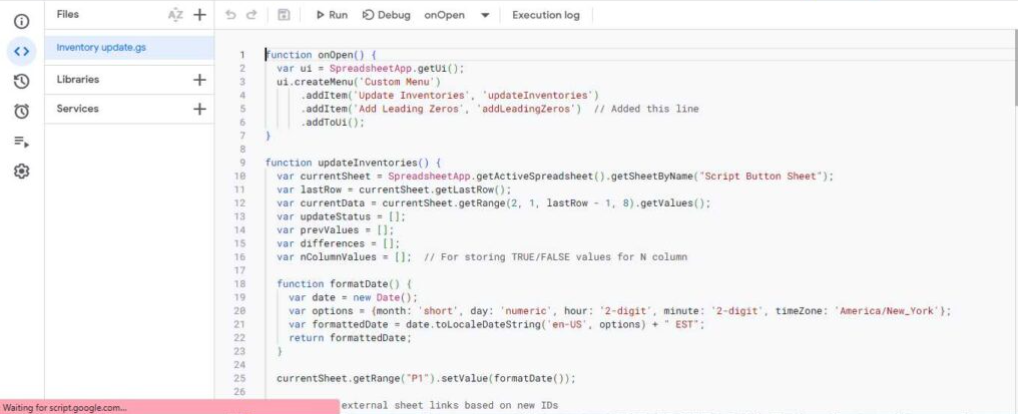
10. Automated Column Management in Inventory Sheet
Description: Developed an app script to automatically update columns in an inventory sheet based on values in another sheet, enabling seamless data synchronization within Google Sheets.
11. CSV-Based Inventory Data Entry Automation
Description: Created a script to automate data entry in an inventory sheet from CSV files. The script also includes a data cleaning function to ensure accuracy and integrity of the imported data.
12. Project Tracker Management
Description: Worked on developing a Project Tracker in Google Sheets to allocate tasks, track project milestones, and monitor team performance, complete with real-time updates and visual dashboards for easy interpretation.
13. Shopify to Google Sheets Data Transfer with Task Allocation
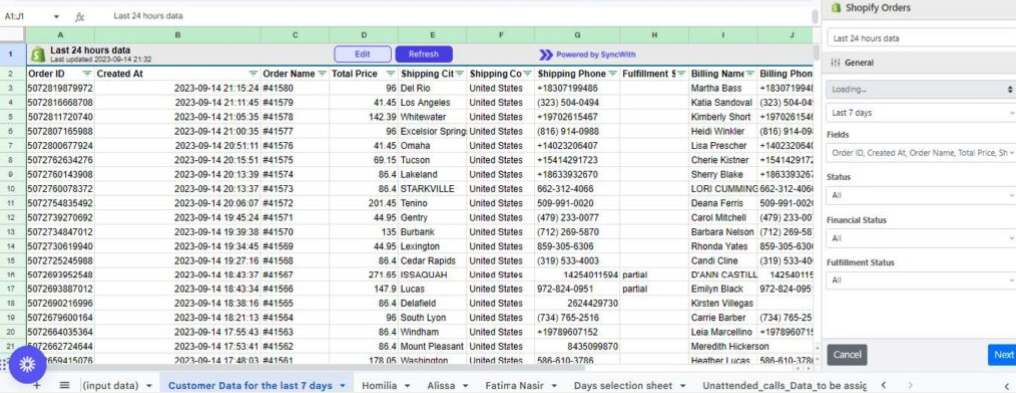
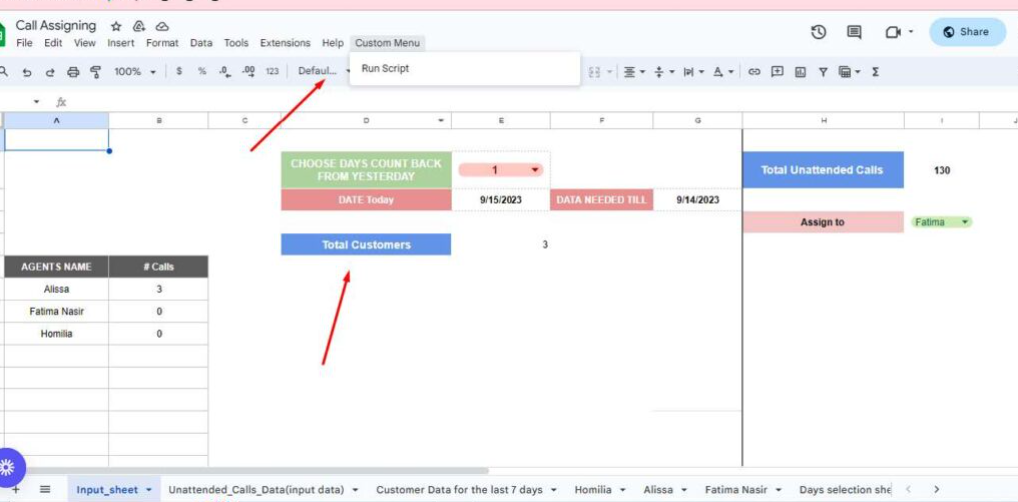
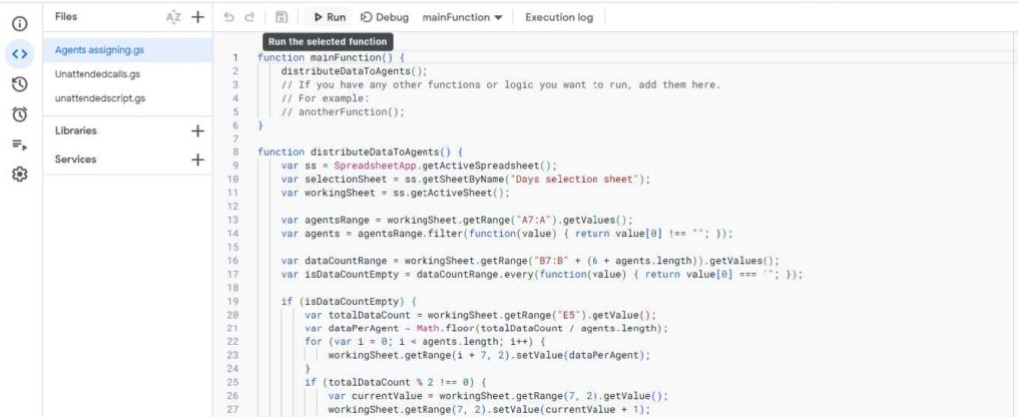
Description: Leveraged expertise in API integration and Google Sheets to create an automated system that transfers data from Shopify to Google Sheets using the ‘Sync With’ extension. Utilized Google Apps Script and various functions to allocate customer specific tasks to agents, and integrated this data into Aircall for seamless customer outreach. The system is set to update daily.
14.Habit Tracker
Description: Developed a Habit Tracker that empowers users to monitor habits, visualize progress, and compute monthly streaks, all within an easy-to-use Google Sheets interface.
15. Fitness Tracker
Description: Crafted a Fitness Tracker in Google Sheets allowing users to log activities, monitor habits, and assess the achievement of their fitness goals over time.
16. Sleep Tracker
Description: Developed a Sleep Tracker in Google Sheets to enable users to input and visualize their daily sleep duration, helping them understand and improve their sleep patterns.
17. Finance Tracker
Description: Crafted a comprehensive Finance Tracker in Google Sheets that allows users to set financial goals, input transactions, and gain insights through visual dashboards for monthly and yearly financial planning.