If you’re searching for cPanel help, there’s a good chance something on your website, hosting account, email, or domain isn’t working the way it should.
Maybe your website is down. Maybe you need to restore a backup. Perhaps your SSL certificate is causing errors, your business email stopped receiving messages, or you simply logged into cPanel and have no idea where to start.
Whatever the issue, 247 WordPress Tech can help with cPanel and WordPress hosting problems without making the process unnecessarily complicated.
Our team works with WordPress websites, hosting environments, cPanel, WHM, DNS, email, SSL certificates, backups, migrations, security, and other common website hosting issues.
What Is cPanel?
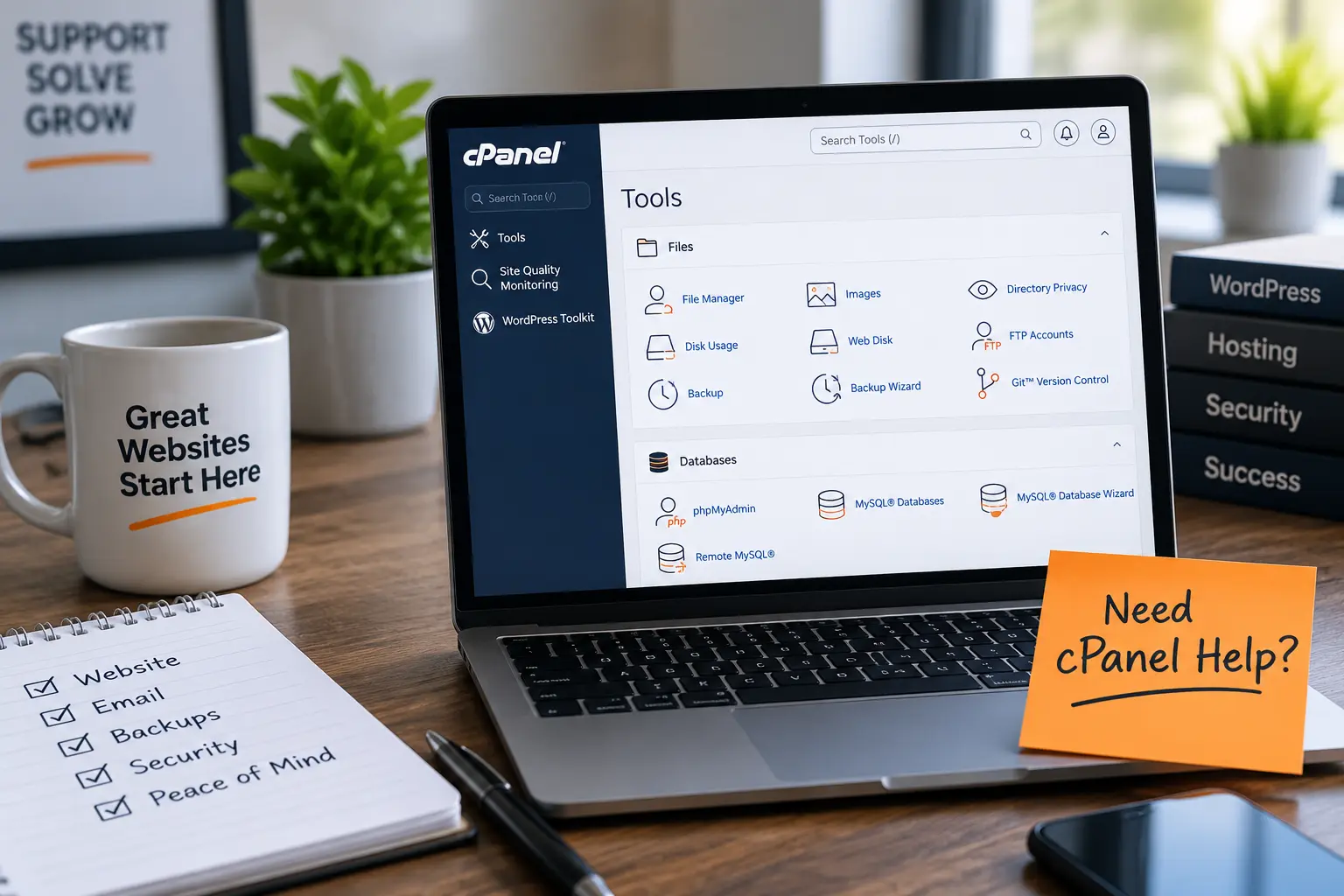
cPanel is a web hosting control panel that gives website owners access to many of the tools needed to manage their hosting account.
Depending on your hosting provider and configuration, cPanel can give you control over things such as:
- Website files
- Domains and subdomains
- Email accounts
- Databases
- Backups
- SSL certificates
- DNS settings
- FTP accounts
- Security
- WordPress installations
The problem is that cPanel can become overwhelming if you don’t regularly work with web hosting.
Changing the wrong file, database setting, DNS record, or configuration can also create additional problems.
That’s where professional cPanel help can save you time.
What Can We Help With in cPanel?
At 247 WordPress Tech, we primarily specialize in WordPress support, but many WordPress problems extend beyond the WordPress dashboard.
Sometimes the real problem is at the hosting or cPanel level.
Here are some of the most common cPanel issues we can help troubleshoot.
1. WordPress cPanel Help
Can’t access your WordPress dashboard?
Seeing a critical error?
Did an update break your website?
Sometimes WordPress problems need to be investigated directly through cPanel. We can access your website files, review configurations, troubleshoot plugins and themes, investigate databases, and work to get your website functioning again.
2. cPanel File Manager Help
The File Manager gives you direct access to your website’s files.
For a typical WordPress installation, this may include files and directories such as:
- wp-content
- wp-admin
- wp-includes
- wp-config.php
- .htaccess
- Plugin files
- Theme files
- Uploads
Editing or deleting the wrong file can cause a website to stop functioning.
If you need something changed but aren’t comfortable working directly with your website files, our team can handle it for you.
3. cPanel Email Help
Business email problems can quickly become frustrating.
We can help troubleshoot common cPanel email issues, including:
- Creating email accounts
- Email accounts not receiving mail
- Email sending problems
- Email forwarding
- Mailbox configuration
- MX records
- DNS-related email problems
- Email authentication issues
- SMTP configuration
If your website forms aren’t delivering messages, we can also investigate whether the issue is coming from WordPress, your mail server, DNS, or your SMTP configuration.
4. cPanel Backup and Restore Help
Backups are one of the most important parts of managing a website.
If an update breaks your website, files are accidentally deleted, or something goes wrong during development, having a usable backup can make recovery significantly easier.
We can help with:
- Website backups
- Database backups
- Downloading backups
- Restoring website files
- Restoring databases
- WordPress recovery
- Migrating backups between servers
Before making major changes to a website, we generally recommend having a reliable backup available.
5. cPanel SSL Help
Seeing a security warning when visiting your website?
Your SSL certificate may not be installed or configured correctly.
We can help investigate:
- SSL certificate installation
- HTTPS problems
- Certificate errors
- Mixed-content issues
- HTTP-to-HTTPS redirects
- WordPress HTTPS configuration
- SSL issues after migrating a website
SSL problems can sometimes involve both your hosting configuration and WordPress settings, so fixing only one side of the problem may not be enough.
6. cPanel Database Help
WordPress stores important website information in a database.
If something goes wrong with the database, you might encounter connection errors, broken functionality, or a completely inaccessible website.
Our team can help troubleshoot issues involving:
- MySQL databases
- Database users
- Database permissions
- phpMyAdmin
- WordPress database connections
- Database imports and exports
- Database migrations
- WordPress database errors
Database changes should be handled carefully, especially on a live website.
7. cPanel DNS and Domain Help
Your website may be perfectly functional on the server but still inaccessible because of a DNS or domain configuration problem.
We can help investigate:
- A records
- CNAME records
- MX records
- TXT records
- Nameservers
- Subdomains
- Domain connections
- DNS changes after a migration
- Email DNS records
DNS changes can take time to propagate, which can make troubleshooting particularly confusing if you aren’t sure whether a configuration is correct.
8. cPanel WordPress Migration Help
Moving a WordPress website from one hosting provider to another isn’t always as simple as copying a few files.
A migration can involve:
- WordPress files
- MySQL databases
- Domain settings
- DNS
- SSL
- PHP versions
- Server configurations
- Search-and-replace operations
247 WordPress Tech can help migrate your WordPress website and troubleshoot issues that appear after the migration.
9. cPanel Security and Malware Help
If your website has been compromised, cPanel may be an important part of investigating and fixing the problem.
We can assist with WordPress security issues including:
- Suspicious files
- Malware
- Compromised plugins
- WordPress administrator access
- File permissions
- Password resets
- Security updates
- Website recovery
After cleaning a compromised website, it’s also important to investigate how the site may have been breached so the same vulnerability isn’t left open.
10. cPanel PHP Help
Sometimes a WordPress website stops working because the server’s PHP environment isn’t compatible with a theme, plugin, or application.
We can help troubleshoot:
- PHP version changes
- PHP errors
- Memory limits
- Upload limits
- Execution limits
- WordPress compatibility problems
- Plugin errors after PHP updates
Rather than randomly changing server settings, we can investigate the underlying issue and determine what actually needs to be changed.
Why Use Professional cPanel Help?
You can find tutorials online for almost anything in cPanel.
The challenge is figuring out whether the tutorial actually applies to your particular hosting environment and website.
For example, a website that suddenly displays an error could have a problem with WordPress, PHP, a plugin, a database, DNS, SSL, the server, or something else entirely.
Following random troubleshooting instructions can sometimes make the original problem worse.
Professional cPanel support gives you someone who can investigate the entire website and hosting environment instead of guessing at the cause.
cPanel Help for WordPress Websites
This is where 247 WordPress Tech is particularly useful.
We’re not simply looking at cPanel in isolation. Our team works with WordPress websites and hosting, so we can troubleshoot problems across both environments.
If your WordPress site isn’t loading, for example, we can investigate the WordPress installation as well as the hosting configuration behind it.
That can include:
WordPress → Plugins → Themes → Database → PHP → cPanel → DNS → Hosting
Instead of contacting several different people, you can have one team investigate the problem from end to end.
cPanel vs. WHM: What’s the Difference?
cPanel and WHM are related, but they serve different purposes.
cPanel is primarily used to manage an individual hosting account and its websites, domains, email accounts, files, databases, and other hosting features.
WHM (WebHost Manager) provides broader administrative tools commonly used to manage multiple cPanel accounts and server-level hosting functions.
If you’re managing a single website, you’re more likely to work primarily inside cPanel.
If you’re running multiple hosting accounts, a VPS, dedicated server, or hosting environment, you may also need WHM support.
247 WordPress Tech provides assistance with both cPanel and WHM.
Common cPanel Problems We Can Troubleshoot
Not sure what kind of help you need?
That’s okay.
Some of the issues we regularly investigate include:
- “My WordPress website is down.”
- “I can’t log into WordPress.”
- “My email stopped working.”
- “My website says Not Secure.”
- “I accidentally deleted a file.”
- “My website broke after an update.”
- “I need to restore a backup.”
- “My domain isn’t pointing to my website.”
- “I’m getting a database connection error.”
- “My WordPress site has malware.”
- “My website broke after changing PHP.”
- “I need to move my website to another host.”
- “I don’t understand cPanel.”
- “My website forms aren’t sending emails.”
- “I need someone to manage this for me.”
You don’t necessarily need to know the technical name of the problem before contacting us.
Tell us what’s happening, and we can start troubleshooting from there.
Frequently Asked Questions About cPanel Help
Can you help me with cPanel?
Yes. 247 WordPress Tech provides cPanel support for WordPress websites and can assist with hosting configuration, files, databases, email, DNS, SSL, backups, migrations, and troubleshooting.
Can you fix my WordPress website through cPanel?
In many cases, yes. cPanel provides access to important website files, databases, PHP settings, and other hosting tools that can be useful when diagnosing WordPress problems.
Can you help if I can’t access WordPress?
Yes. Not every WordPress problem requires access to the WordPress dashboard. Depending on the issue and hosting environment, troubleshooting can often be performed using cPanel, FTP, database tools, or other hosting-level access.
Can you restore my WordPress website from a cPanel backup?
If a usable backup is available, we can help determine the appropriate restoration method and assist with restoring the website.
Can you help with cPanel email problems?
Yes. We can troubleshoot email accounts, DNS and MX records, SMTP configurations, forwarding, and WordPress email-delivery problems.
Do you provide WHM help too?
Yes. In addition to cPanel help, 247 WordPress Tech provides WHM support for businesses that need assistance managing hosting accounts and server environments.
How much does cPanel help cost?
247 WordPress Tech offers pay-as-you-go and ongoing support options. Contact us with the issue you’re experiencing and we can determine the appropriate level of support.
Get cPanel Help From 247 WordPress Tech
You shouldn’t have to spend hours searching through tutorials just to figure out why your website isn’t working.
At 247 WordPress Tech, we provide hands-on cPanel and WordPress support for businesses that need technical problems solved.
Whether you need help with a quick cPanel issue or ongoing WordPress and hosting management, our team can assist with troubleshooting, configuration, migrations, backups, security, email, DNS, SSL, and more.
Need cPanel help? Contact 247 WordPress Tech today and let us take care of the technical work while you focus on your business.